Open the workspace
Click 모델 검사 (Model inspection) beneath the terminal input. Narrow terminals show 검사.
An open-source AI CLI for frontend developers.
Reuse project components, check team rules,
and test real browser interactions.
npx @choijinwon/oscode@0.19.0 --agent frontendRequires Node.js 22+. Start local commands without a model key.
Connect a model for AI code changes.
Inspect semiconductor classification, detection and polygon segmentation results in a workspace shaped by your model contract. Compare A/B results on the same image.
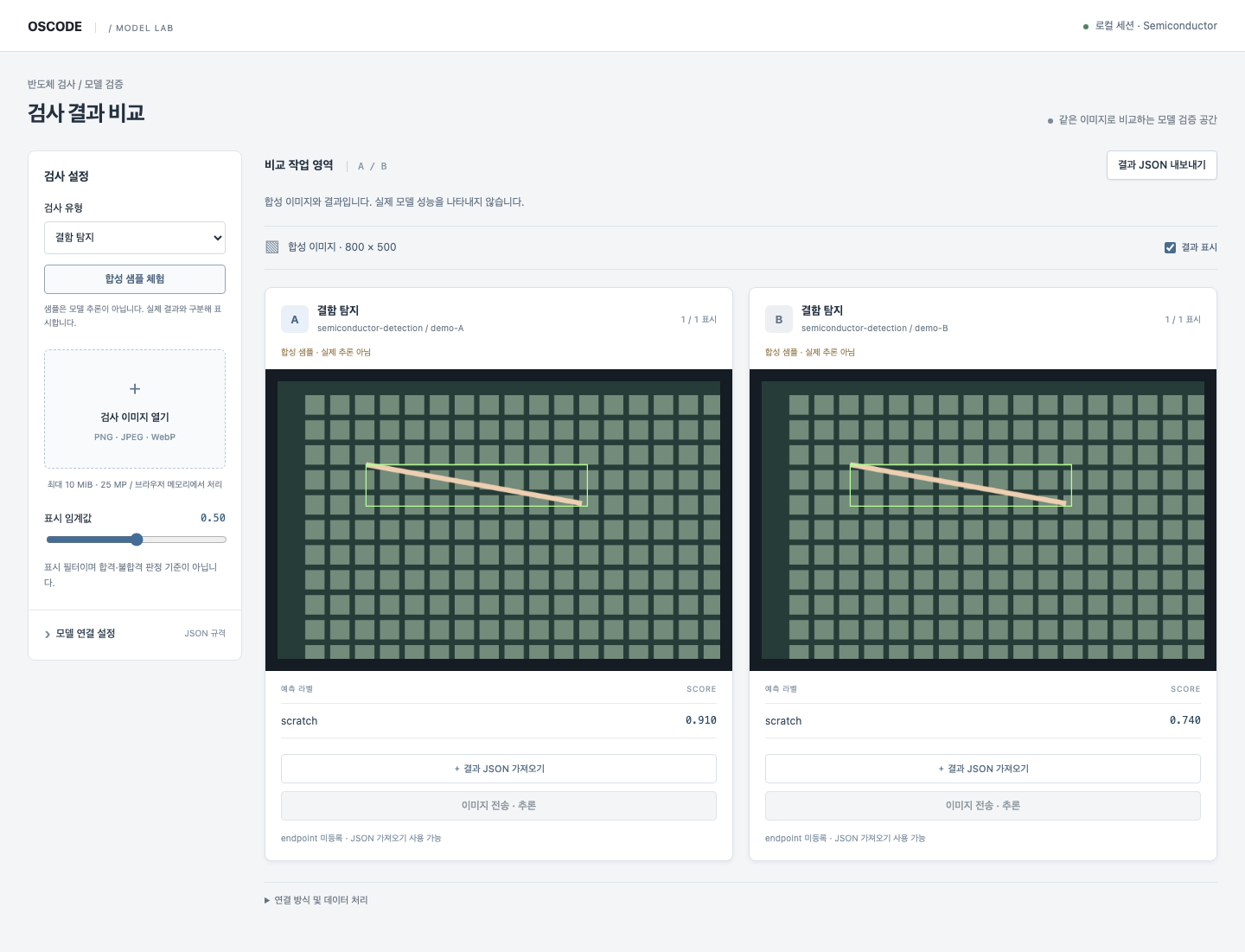
Click 모델 검사 (Model inspection) beneath the terminal input. Narrow terminals show 검사.
Open an image and register A/B model contracts. Try synthetic samples without an API key.
Review scores, bounding boxes and polygons. Adjust the display threshold or hide overlays.
Download comparison JSON with the image hash, model versions and original predictions.
Actual inference requires a separate model server. You can also import result JSON. A/B is a visual comparison, not an accuracy benchmark or automatic pass/fail decision.
Compose registered blocks with AI, run specialist workflows locally, and record quotes, deliverables and customer acceptance.
Agree on scope, output and price.
Run typed blocks with existing permissions.
Record output files and content hashes.
Record customer acceptance before invoice preparation.
Inspect the project catalog and identify reusable code.
/catalog →Check configured imports and code patterns before accepting changes.
/team-ui →Run configured browser scenarios and compare preserved UI state.
Browser verification →Export passed, failed and unverified checks.
/evidence →Choose from 40 UI starters, including mobile, admin, ERP and 10 semiconductor components. Generate code and CSS for your framework.
Explore design commands →/design select next/semi-traceImport JSON or CSV, validate coordinates and units, then inspect linked results and yield.
The other nine semiconductor starters use synthetic data. No MES connection, equipment control or automatic REST binding is included.
Data format and examples →OSCODE uses explicit local rules to prioritize relevant tools. Mixed or unmatched requests use the general route.
This is a rule-based engine, not a trained classifier. It does not grant approval or guarantee token savings. Code generation still uses your configured model.
Configure local routing →OSCODE is MIT-licensed. Model usage or subscription costs depend on your provider.
This release adds an English website and getting-started guide. Some CLI messages, generated UI labels and detailed guides remain in Korean.
No. It only covers the configured checks. Validate your application build, integration and business rules separately.